Signing Request Options
The Signing Request Options are used to enable and disable various signing features, such as expiration dates and re-assignments. Keep in mind that certain features require a Dropbox Sign premium plan to use.
Enable Attachments
Use the attachment settings to determine if the attachments can be selected and whether the attachments are selected by default.

Contract Signer
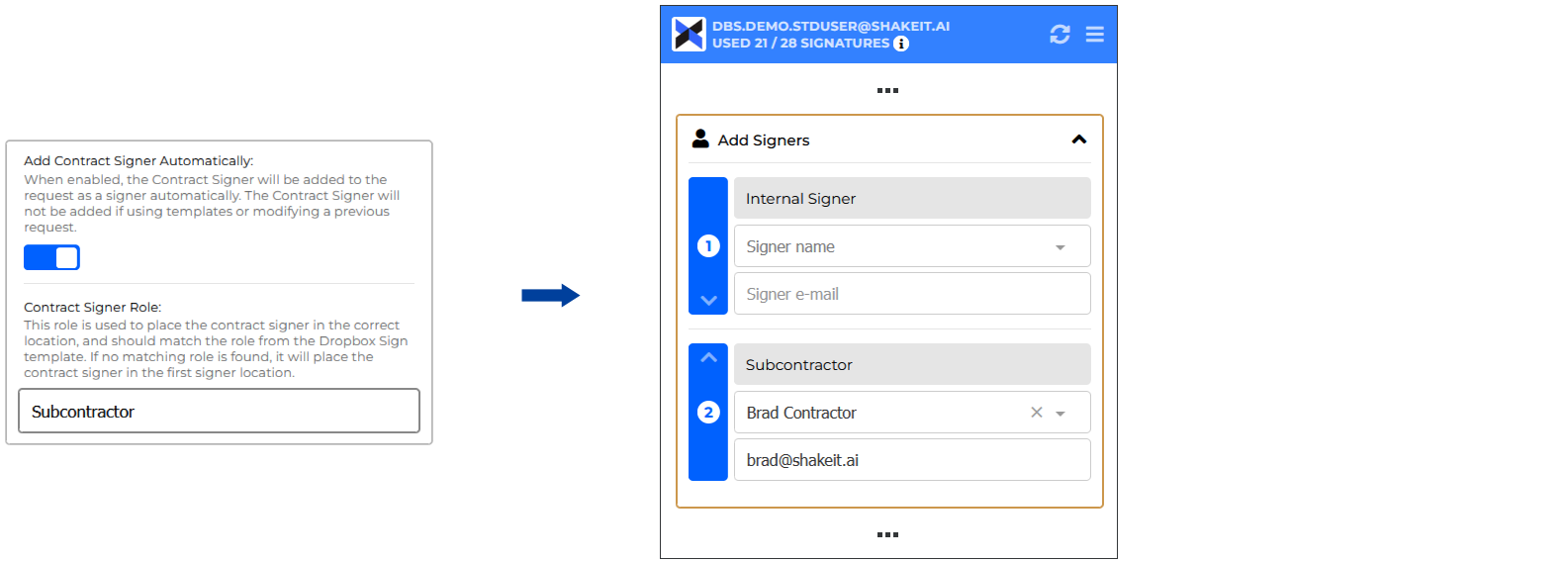
Enable the contract signer setting to have the Contract Signer for the corresponding Contract Company automatically added to the request.
If a Contract Signer Role is specified, the integration will attempt to place the contract signer in the corresponding signer role. If no role is specified, or there are no matching roles, the contract signer will be placed in the first signing location.
Additional Options Panel
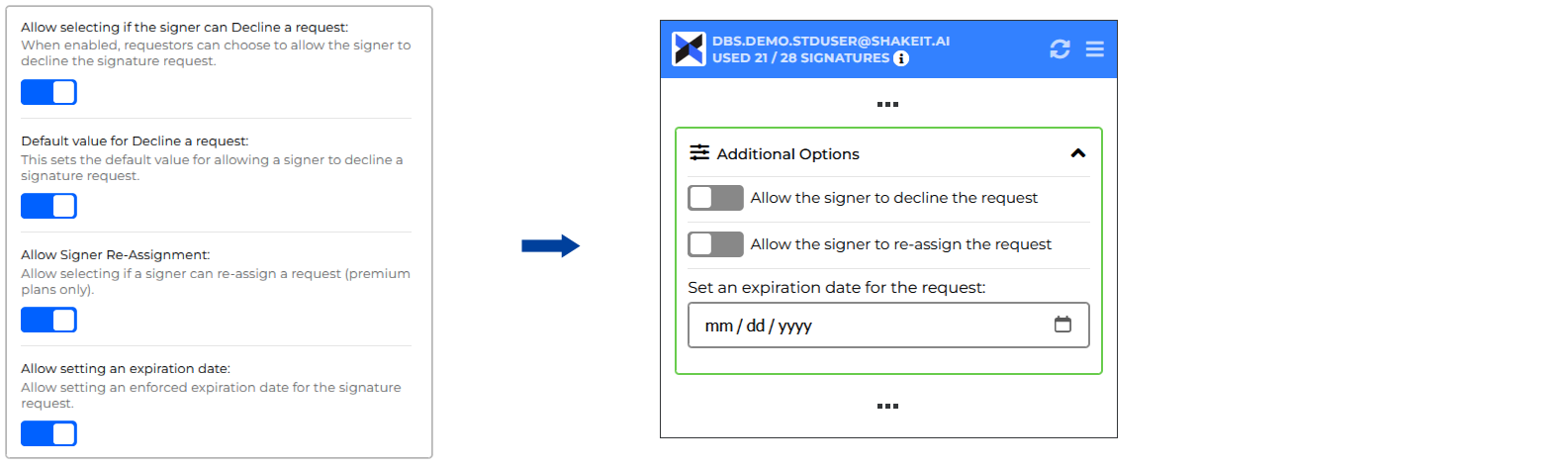
Use the following settings to display or hide specific request options under the "Additional Options" panel on the request screen. Note that the Signer Re-Assignment feature requires Dropbox Sign Premium Edition.
Other Settings
| Setting | Description |
| Test mode | When in test mode, you will not be charged for signatures and requests will be sent with non-binding notices. Switch off test mode after all testing has been completed and you are ready to send real requests. |
| Enable Dropbox Sign Templates | When enabled, this option allows you to select templates from Dropbox Sign to replace the main Procore contract. |
| Requestor | The user that signature requests will be e-mailed from. |