Complete Sign-up Wizard
Enter company details
At this point, the app has been installed and configured with the appropriate permissions. To sign-up for an account:
- Browse to one of the projects that was configured during the previous step
- Browse to a Commitment, Prime Contract, or Change Order and open the side-panel
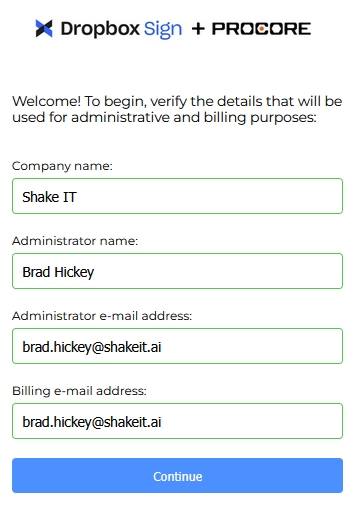
- Verify your company details and press the "Continue" button
- Select either "Trial" or "Purchase"
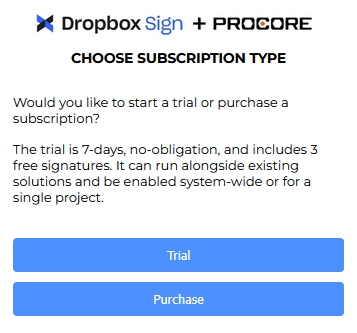
Start a trial
You can use your own Dropbox Sign account for the trial or one can be provided.
Provide an account
- Select "No, provide an account" if you do not already have a Dropbox Sign account
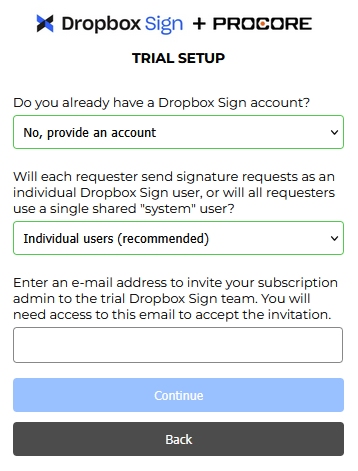
- Enter the e-mail address of the user who will act as the administrator of the account and press the "Continue" button
This e-mail address cannot already be assigned to an existing Dropbox Sign team.
- You will recieve an e-mail from Dropbox Sign. Follow the instructions on this e-mail to accept and register the account
- Authenticate your user with Dropbox Sign to start using the trial
Use your own account
- Select "Yes, use my account" if you already have a Dropbox Sign account that you would like to use for the trial
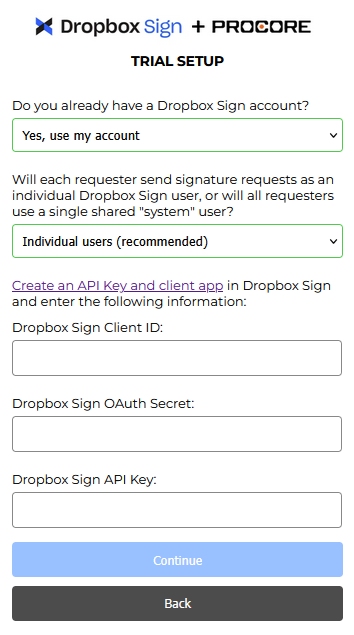
- Follow the instructions on the Configure Dropbox Sign page to obtain an API Key, Client ID, and OAuth Secret
- Enter the values into the form and press the "Continue" button
- Authenticate your user with Dropbox Sign to start using the trial
Purchase a subscription
There are 3 subscription types for purchase: Shared, Dedicated, and Connector-only
With a shared subscription (our most popular and cost-effective model), Shake IT manages the Dropbox Sign environment, provisioning one or more isolated teams for your organization.
While you don’t manage users or teams directly, this model provides access to Dropbox Sign Premium features at a lower price point. Many of our customers select this option initially due to a lower entry cost and smaller / more granular volume options.
With a dedicated subscription, your organization owns and manages its own Dropbox Sign environment. You have full control over users, teams, and configuration.
This option requires additional steps to provision a dedicated Dropbox Sign account. After pressing Generate Quote, an order will be placed and additional communications will be required over e-mail.
A connector only subscription allows the customer to “bring their own” Dropbox Sign subscription. This option is intended for customers who already have a Dropbox Sign subscription they wish to integrate with Procore.
To Purchase a subscription:
- Select the desired subscription type. If you are unsure, reach out to [email protected] for help choosing.
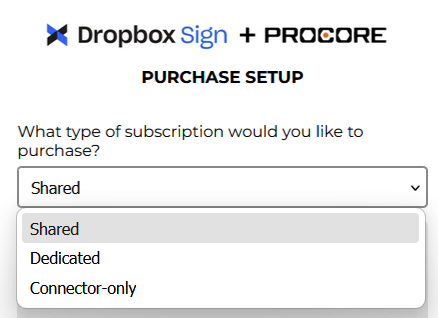
- Follow the prompts. For shared accounts, you will be asked to provide an e-mail address for the admin user. For dedicated and connector-only, you will be asked to provide Dropbox Sign API Keys, which can be obtained by following these instructions.
Authenticate Dropbox Sign
- Once everything is complete, you will be asked to authenticate against Dropbox Sign. This will link your Procore user to your Dropbox Sign user.
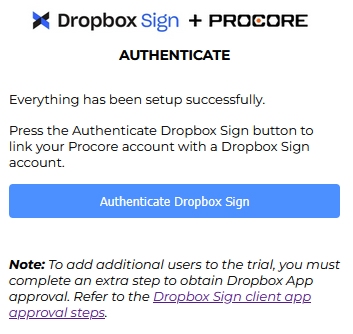
- It is recommended to configure your app prior to rolling the solution out to your entire team.
- Once configured, refer to the usage guide for general usage instructions.